
How to use Nutcache AI assistant
Written by Nutcache Team
Updated
Nutcache AI introduces new tools designed to help you write better content, format text more easily, and quickly find answers about the platform — all without leaving the application.
This page explains how Nutcache’s three AI-related features work.
1. Ask AI — answers from the Nutcache Help Center
Nutcache AI can also answer your questions about how the platform works by using content from the Nutcache Help Center.
How it works
Click the Ask AI button in the application header, next to the global search icon.

A panel opens on the right side of the screen.
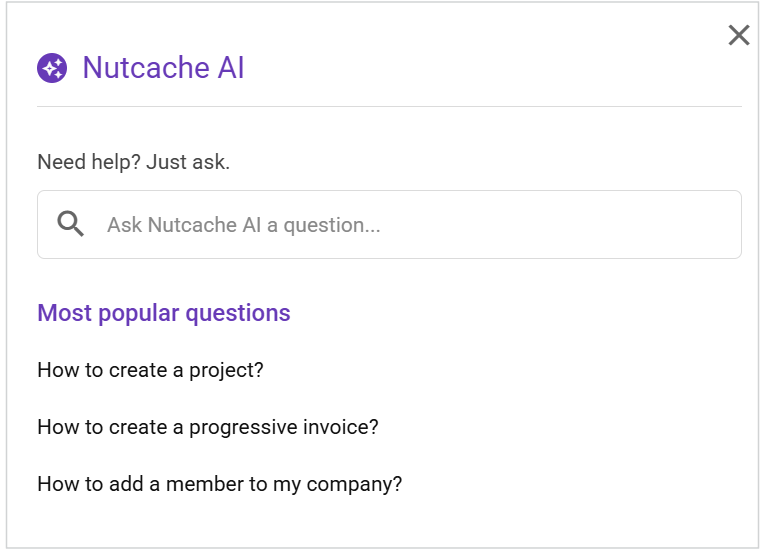
Ask a question about Nutcache features or usage.
The AI generates an answer based on Help Center articles and includes clickable links to the source articles.
Your questions and answers are saved for your reference.
IMPORTANT INFORMATION - Questions and answers are private and visible only to the user who asked them. They are not shared with other members of your organization.
Who can use this feature?
Permissions: Regular member and higher
Plans: Free plan and higher
2. Improved text editor accessibility
Nutcache has improved the rich text editor to make formatting more intuitive and always accessible.
How it works
In any text box where the rich text editor is available, the toolbar automatically appears when you click inside the text box.
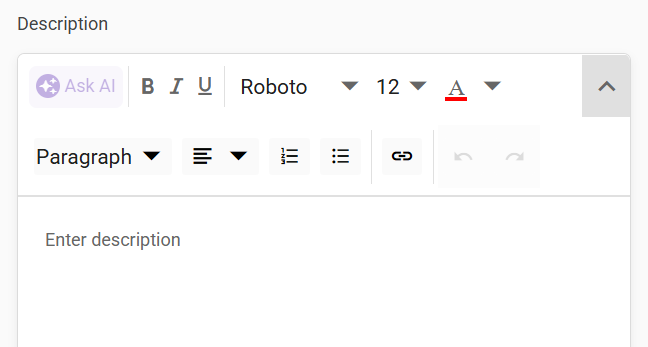
The toolbar stays fixed at the top of the text area, even when the content becomes longer.
This ensures formatting options are always visible and easy to use while writing.
Who can use this feature?
Permissions: All users
Plans: All plans
3. AI-assisted writing tools
Nutcache now offers AI-powered writing assistance directly inside the rich text editor to help you improve and optimize your content.
How it works
In text boxes with the rich text editor, click the Ask AI button in the toolbar.
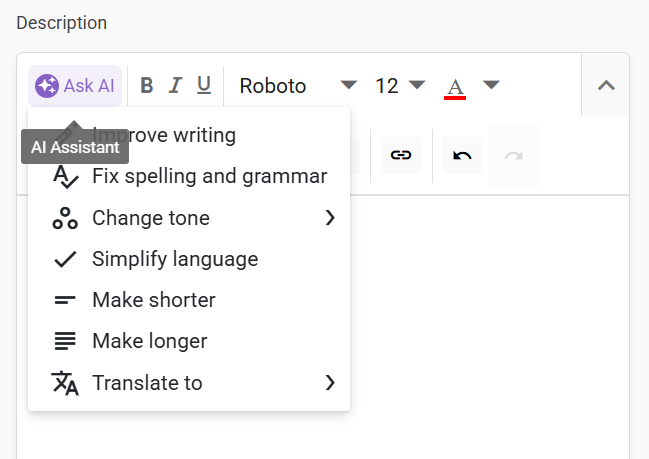
Choose from several suggested AI prompts, including:
Improve writing
Fix spelling and grammar
Change tone (Professional, Casual, Straightforward, Confident, Friendly)
Simplify language
Make shorter or longer
Translate (FR, EN, ES, PT)
You can accept the suggestion, discard it, or try again to generate an alternative version. You always remain in control of the final content.
THE AI CREDITS
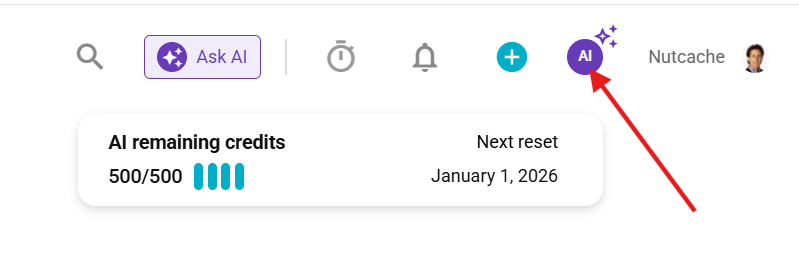
Each AI action (including reruns) uses one AI credit.
If your account runs out of AI credits, the Ask AI button remains visible, but the prompt options are replaced with a message inviting you to contact Nutcache to refill your credits.
The number of credits allocated to your account is renewed each month.
To view your remaining credits and the renewal date, click the AI icon on the left side of the My Account menu.
Who can use this feature?
Permissions: All users
Plans: All plans
Need a hand?
Our team can help you find the answer.
Contact us