
How to mirror tasks on multiple project phases
Written by Nutcache Team
Updated
The mirror task feature allows you to add and sync a task with multiple project phases within a project.
How to mirror a task?
To add and sync a task to multiple project phases, follow these steps:
1. Open the task you want to add to other project phases
2. Click on the three dots in the top right corner of the window, then click on Mirror
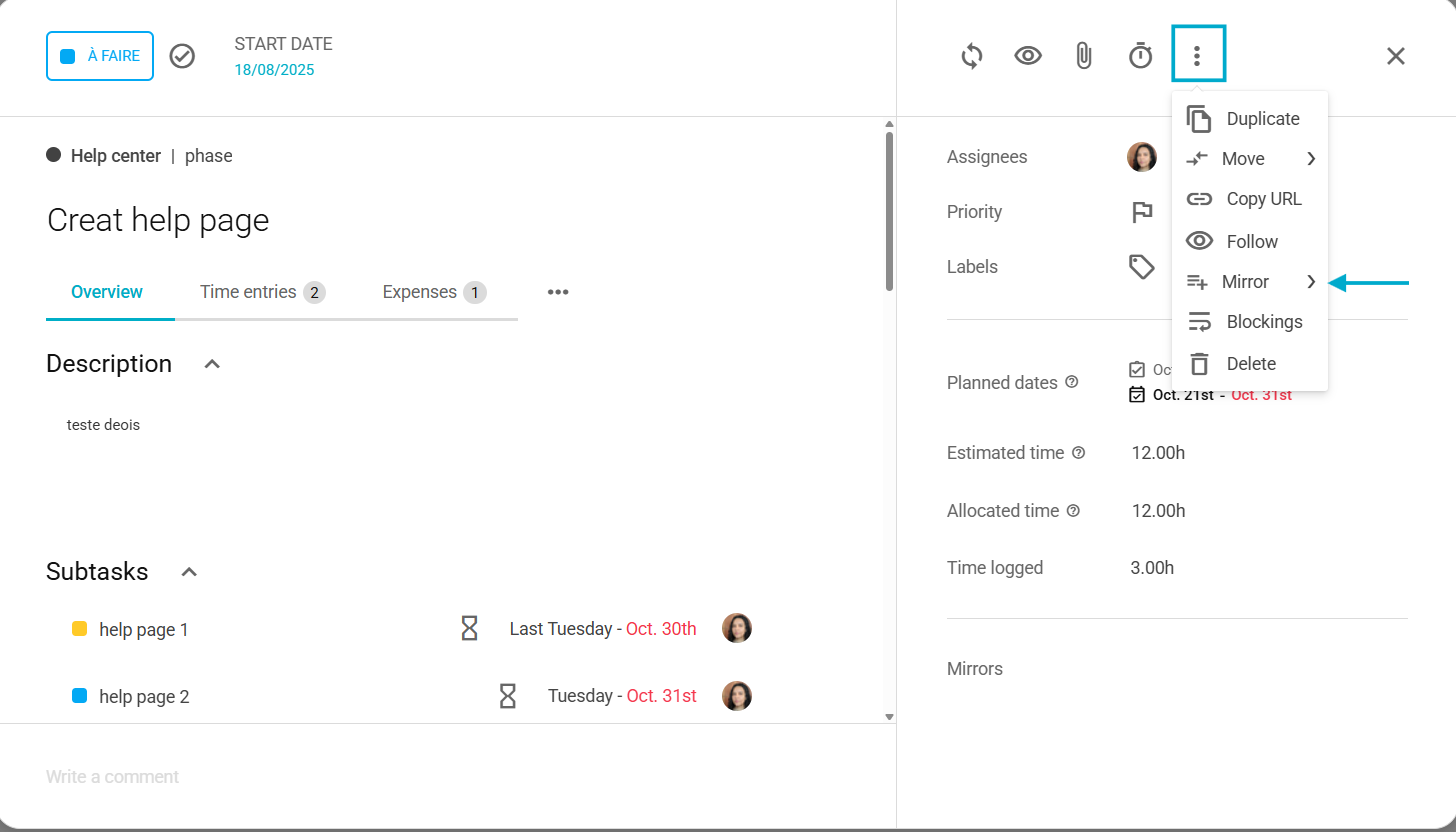
3. Select a project phase from the drop-down menu
4. Change the task status by clicking the status link
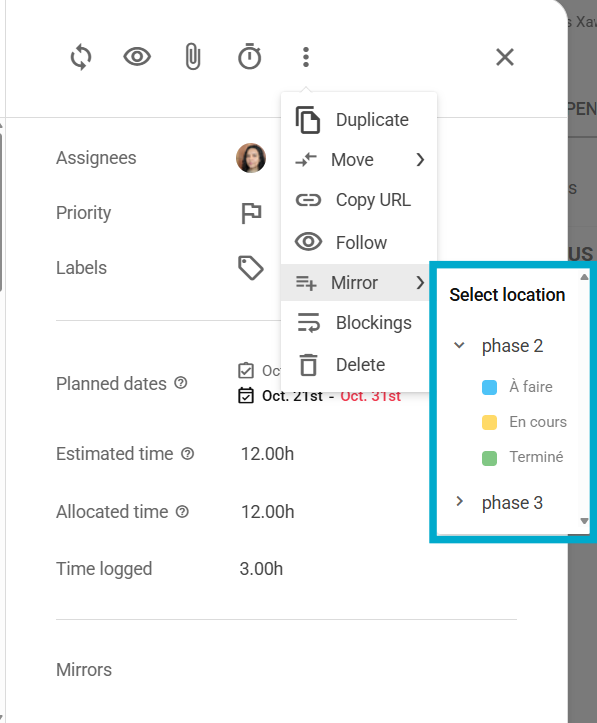
5. Make changes to either of these tasks and see the changes on both tasks.
How to unlink a mirrored task?
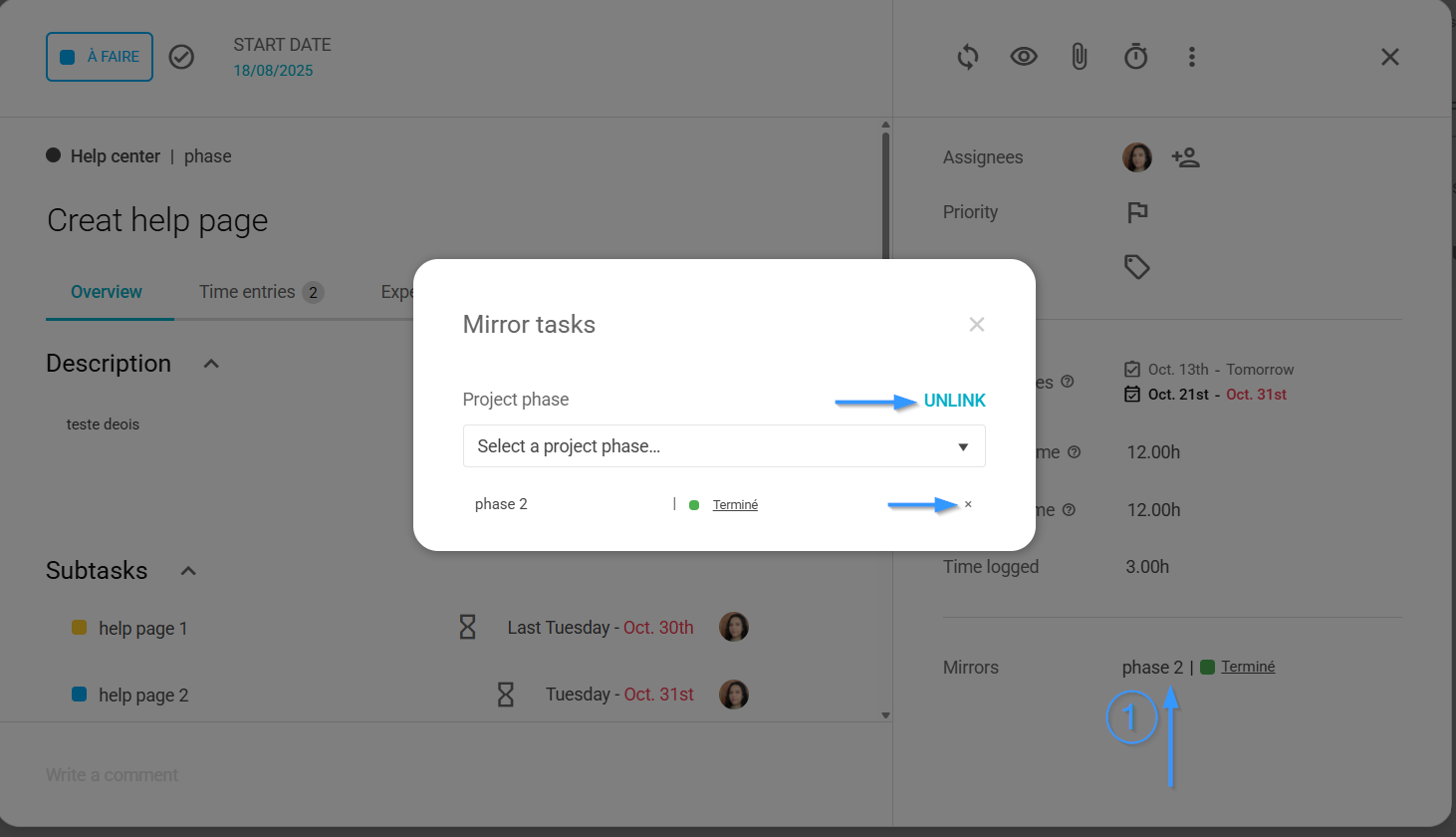
When opening the task, click on the project phase in the lower right corner.
To unlink a task from several project phases, click on the UNLINK link.
To unlink a task from a single project phase, click on the small X to the right of the project phase.
Who can use this feature?
Any member with a security profile that allows for managing tasks in a project.
What information is synchronized between tasks?
The following information from the task is syncronized:
Title
Description
Labels
Comments
Need a hand?
Our team can help you find the answer.
Contact us