
How to assign multiple responsibles to a project
Written by Nutcache Team
Updated
Overview
The Multi-Responsible Project Assignment feature allows users to assign more than one responsible person to a project. This feature is designed for projects that require shared ownership or collaboration between multiple team leaders, improving accountability and visibility.
💡 Example: A project may have both a technical and administrative lead — each can now be designated as a project responsible.
Who Can Use This Feature?
This feature is available to users with Project Manager or higher permissions on the Pro plan and above.
Where Can I Find This Feature?
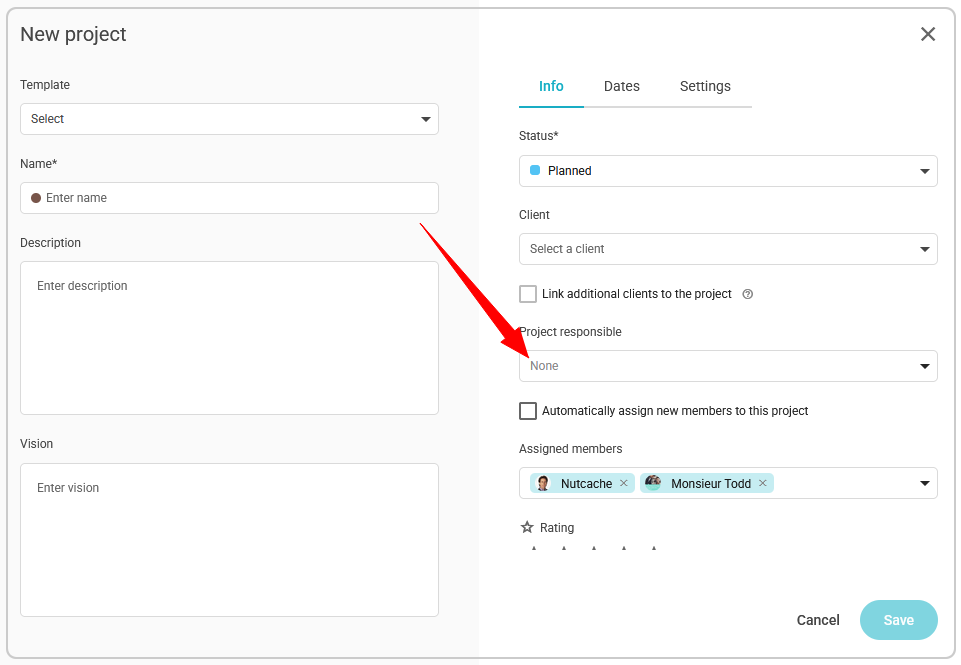
You can assign multiple responsibles when creating a new project or editing an existing one, inside the Project Responsible field of the project details.
How It Works
Creating a New Project
Go to Projects › Create a Project.
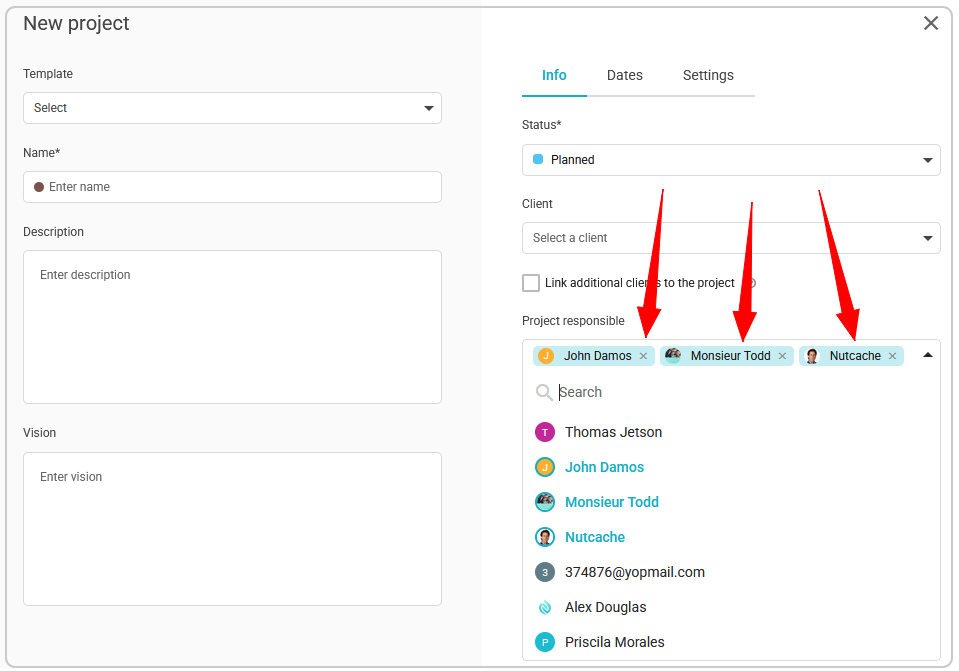
In the Project Responsible field, open the dropdown list of available team members.
Select one or more members to assign as responsibles.
Each selected member appears as a badge inside the field.
Once all selections are made, click Save.
Note: The Project Responsible field is empty by default when creating a new project.
Editing an Existing Project
Open the project you wish to modify.
In the Project Responsible field, view all assigned responsibles — each is shown as a badge displaying the person’s name.
To remove someone, click the “×” on their badge.
To add another, open the dropdown and select additional members.
The responsibles are grouped visually within the same input field.
Viewing in Grid View
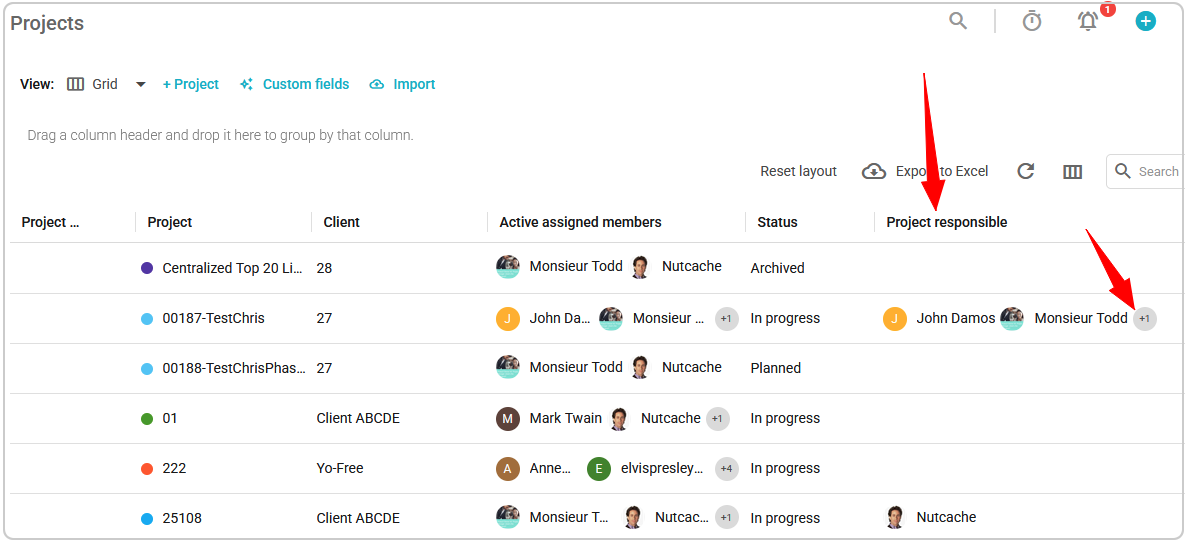
When the Project Responsible column is visible in your project list (grid view):
Each project displays the names and profile pictures of assigned responsibles.
The number of visible names depends on the column width.
If not all responsibles fit, an ellipsis (…) and a count of hidden names will appear.
Hovering over the cell displays a tooltip listing all responsibles with their profile pictures.
Important Information
There is no limit to the number of responsibles that can be assigned to a project.
Performance may vary slightly with very large project teams.
This feature improves collaboration and shared responsibility within teams managing complex or cross-functional projects.
Need a hand?
Our team can help you find the answer.
Contact us