
How to add new members to your Nutcache plan
Written by Nutcache Team
Updated
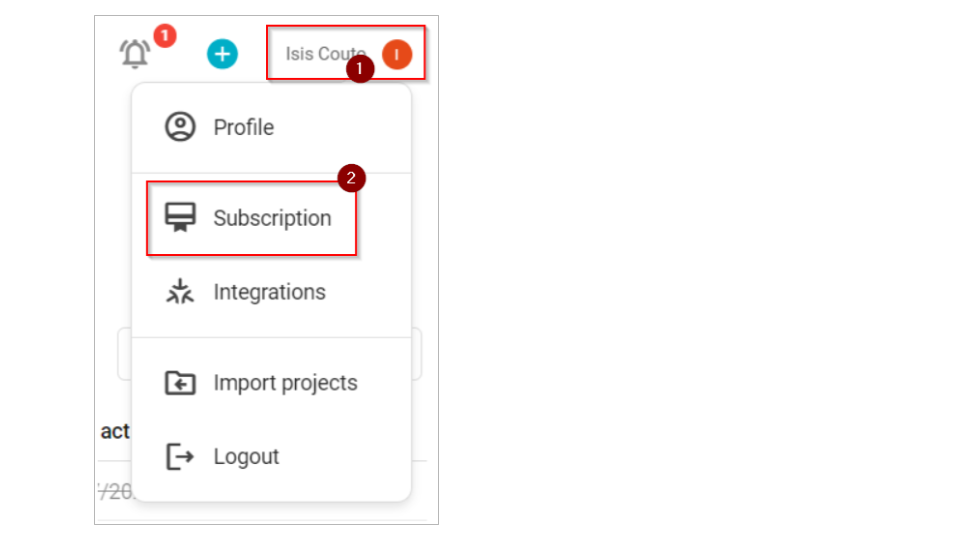
Adding new members to your Nutcache plan is a very simple operation that can be done in a few quick steps. From the top right corner of your application, click the My account menu and select the My Subscription option:
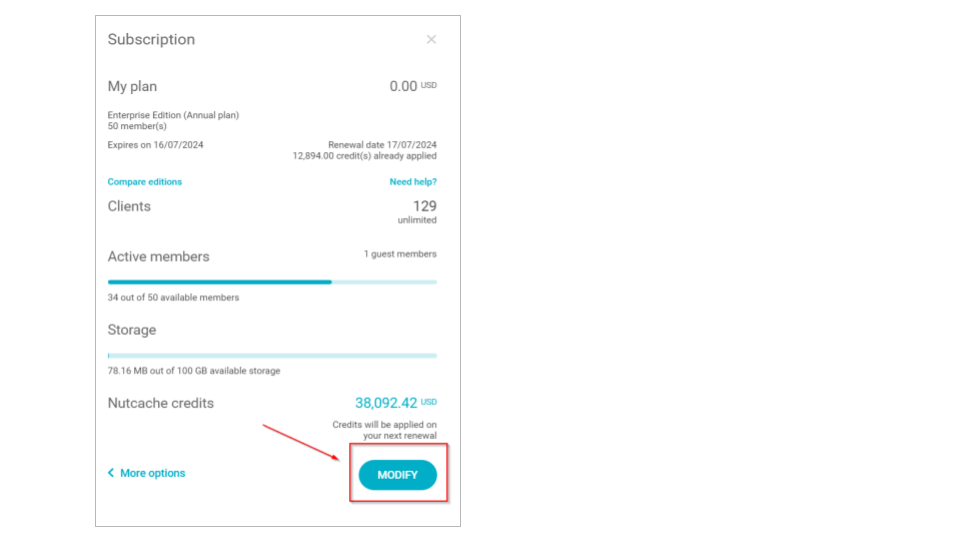
Click the Modify button from the account summary screen:
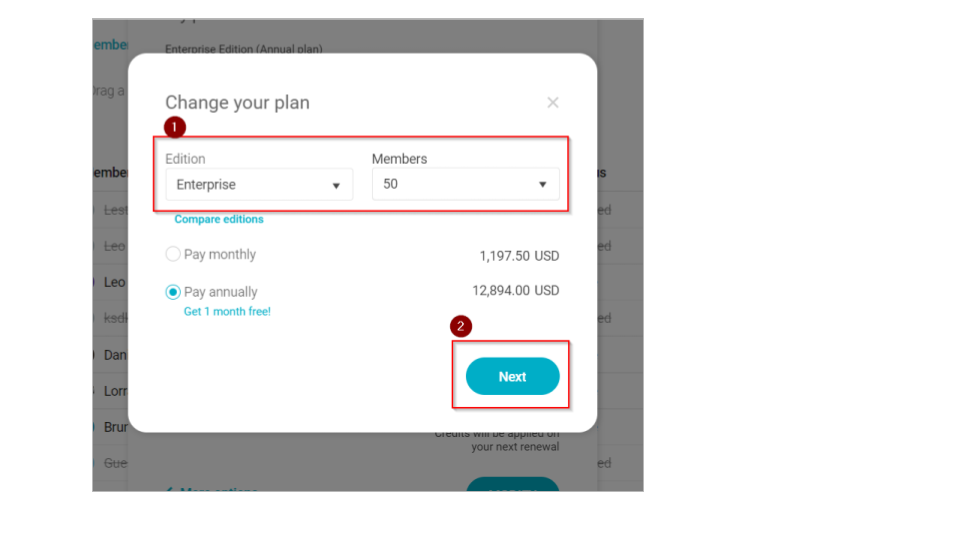
Add the number of members you need and click the Next button to complete the account update procedure.
Need a hand?
Our team can help you find the answer.
Contact us