
How to activate/deactivate a member
Written by Nutcache Team
Updated
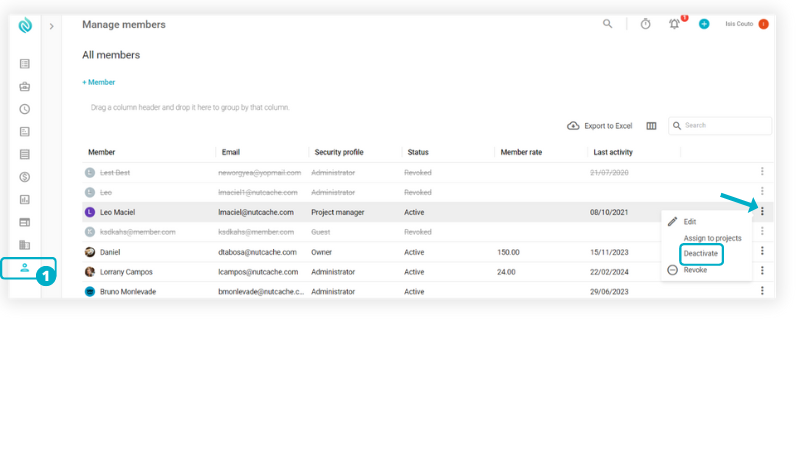
Activating/Deactivating a member within Nutcache is a very easy procedure. From the Members menu, select it to display the member list.
Once you located the member you want to change, click the Activate/Deactivate option from under the Action column.
NOTE: To learn more about the different member statuses in Nutcache, please click here.
Need a hand?
Our team can help you find the answer.
Contact us