
How to understand the different member statuses in Nutcache
Written by Nutcache Team
Updated
In Nutcache, members of an organization can be assigned different statuses according to their level of activity within the application. Knowing these statuses helps you better manage your team’s resources and the seats available in your subscription.
Revoked vs. Deactivated
What is the difference between a revoked member and a deactivated member?
In both cases, the member no longer has access to their account and can no longer be assigned to projects, tasks, expenses, or timesheets. However, the distinction lies in how each status is applied and its consequences.
Revoked Member
Before you can revoke a member, you must remove them from all projects, tasks, and time entries.
Once revoked, the member no longer appears in the organization’s list of active members.
This status is typically used to permanently remove a member. Once revoked, the member has no ties to the organization.
Deactivated Member
The member is deactivated without needing to manually remove their assignments.
They remain visible in reports and within the organization, but can no longer log in or participate in activities.
This status is useful for temporarily suspending a member’s access (e.g., leave of absence, temporary hiatus, etc.).
Pending
The “Pending” status applies to a member who has been sent an invitation but has not yet accepted it or completed account setup.
This status still occupies a seat in your subscription, just like an active member.
If the invitation was sent in error or is no longer needed, you must revoke the member to free up the seat.
NOTE
As long as a member is “Pending,” they have no access to the organization.
Active / Inactive
These two statuses define a member’s actual participation within the organization.
Active
The member has accepted their invitation and can access Nutcache, collaborate on projects, log time, etc.
They are fully operational and occupy a seat in your subscription plan.
Inactive
The member remains in the organization but is not active in ongoing activities.
This may be a former member or a user whose profile is retained for historical reference.
Depending on your plan’s details, this status may free up a seat.
The Contributor status
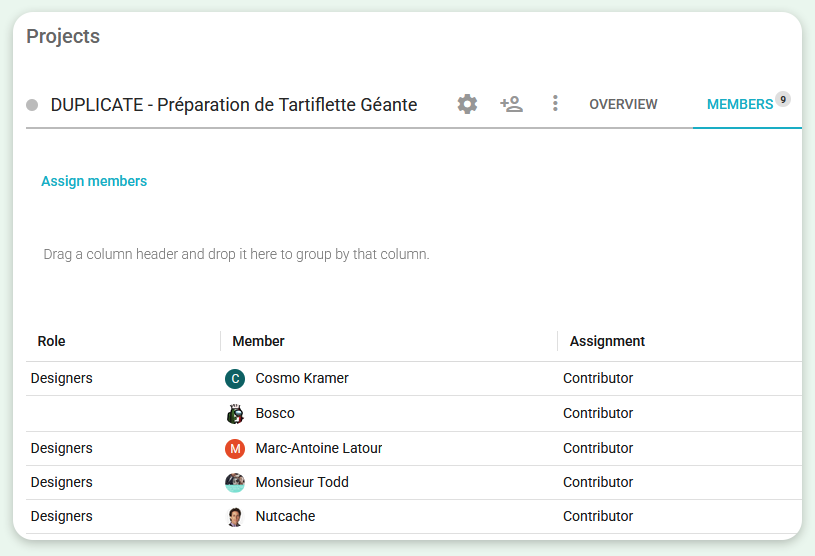
The Contributor status allows you to easily identify which project team members are currently contributing to a project and which members have contributed in the past. This helps you manage your project team more efficiently and maintain a clear view of everyone’s involvement over time. In both the Members and Projects sections of the application, you can:
Quickly see which members are currently assigned to a project and which are no longer participating.
Filter team members by their contribution status (active or past contributor) to simplify project management and reporting.
Need a hand?
Our team can help you find the answer.
Contact us