
How to delete a client
Written by Nutcache Team
Updated
Deleting a client within Nutcache is a very easy procedure. From the Organization menu, select the Clients tab to display the client list. Once you located the client you want to change, click the Delete option from under the Action column.
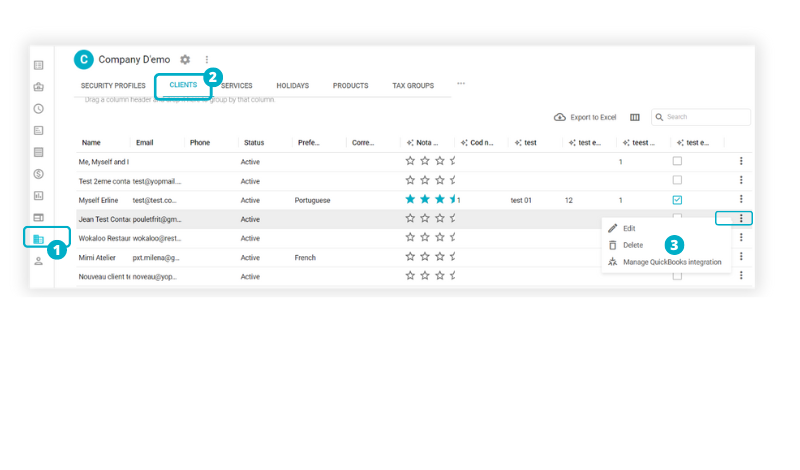
Note: The client can only be excluded if they are not linked to any projects or invoices.
Need a hand?
Our team can help you find the answer.
Contact us