
How to use an overtime bank
Written by Nutcache Team
Updated
What is the overtime bank?
The Overtime Bank is a feature that tracks and stores extra or outstanding working hours that employees accumulate beyond their standard work schedule within a defined date range. These accumulated hours can later be converted into time off, helping teams manage work-life balance more efficiently.
Where can users find it?
The Overtime Bank is available under the Time Tracking module, in a new dedicated tab called Overtime Bank.
When is the bank updated?
The bank balance is automatically updated each time a timesheet is approved. Once approved, the system calculates and reflects the change in the employee's overtime bank balance.
How is the overtime balance calculated?
The calculation is personalized for each employee and is managed in the member’s profile settings. The system considers the following factors:
Bank of hours start date
Defines the start date from which approved time entries begin to count toward the overtime bank.
Initial overtime balance
A starting balance of hours in the overtime bank. Useful if you're transitioning from an existing overtime system outside Nutcache.
Default working hours/day
The number of hours an employee is expected to work on a daily basis.
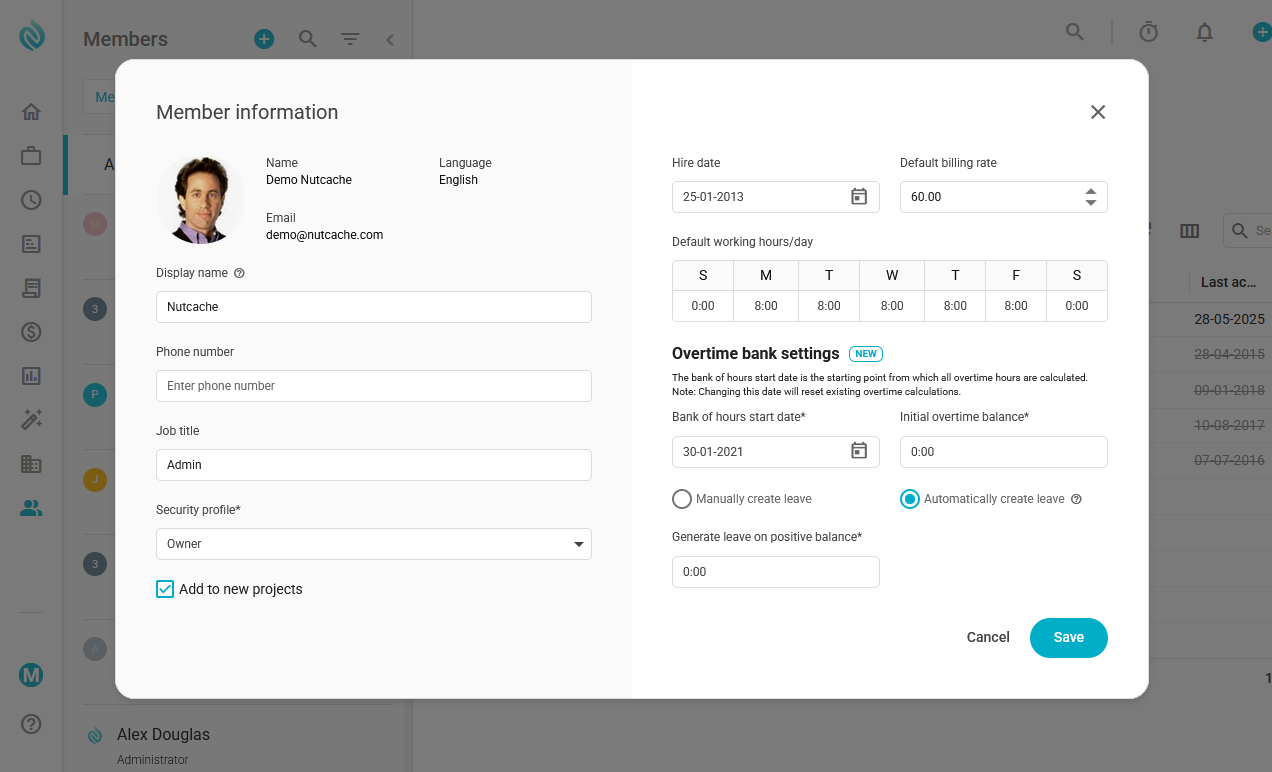
IMPORTANT INFORMATION - The overtime balance is calculated based on a start date and the expected number of working hours per week. This weekly value is considered constant and cannot be defined over a specific period.
Therefore, if a team member's expected weekly working hours change, to avoid distorting the overtime bank calculation, you must:
Adjust the calculation start date by selecting either the date the expected hours changed or an earlier date;
Enter the previous overtime bank balance as the initial amount, if applicable.
Manually create leave
When this option is selected, you'll need to manually create a leave entry that matches the number of accumulated overtime hours. This gives you full control over when and how leave is created.
Automatically create leave
With this option enabled, the system will automatically generate a leave entry once the overtime bank reaches the predefined limit.
Generate leave on positive balance
Automatically generate leave when the overtime balance is greater than zero.
An example
if an employee’s overtime bank has 20 hours and the threshold is set to 18 hours, the system will automatically create a leave equivalent to 18 hours.
To learn more about how to convert overtime bank balance into leave, click here.
Views by role
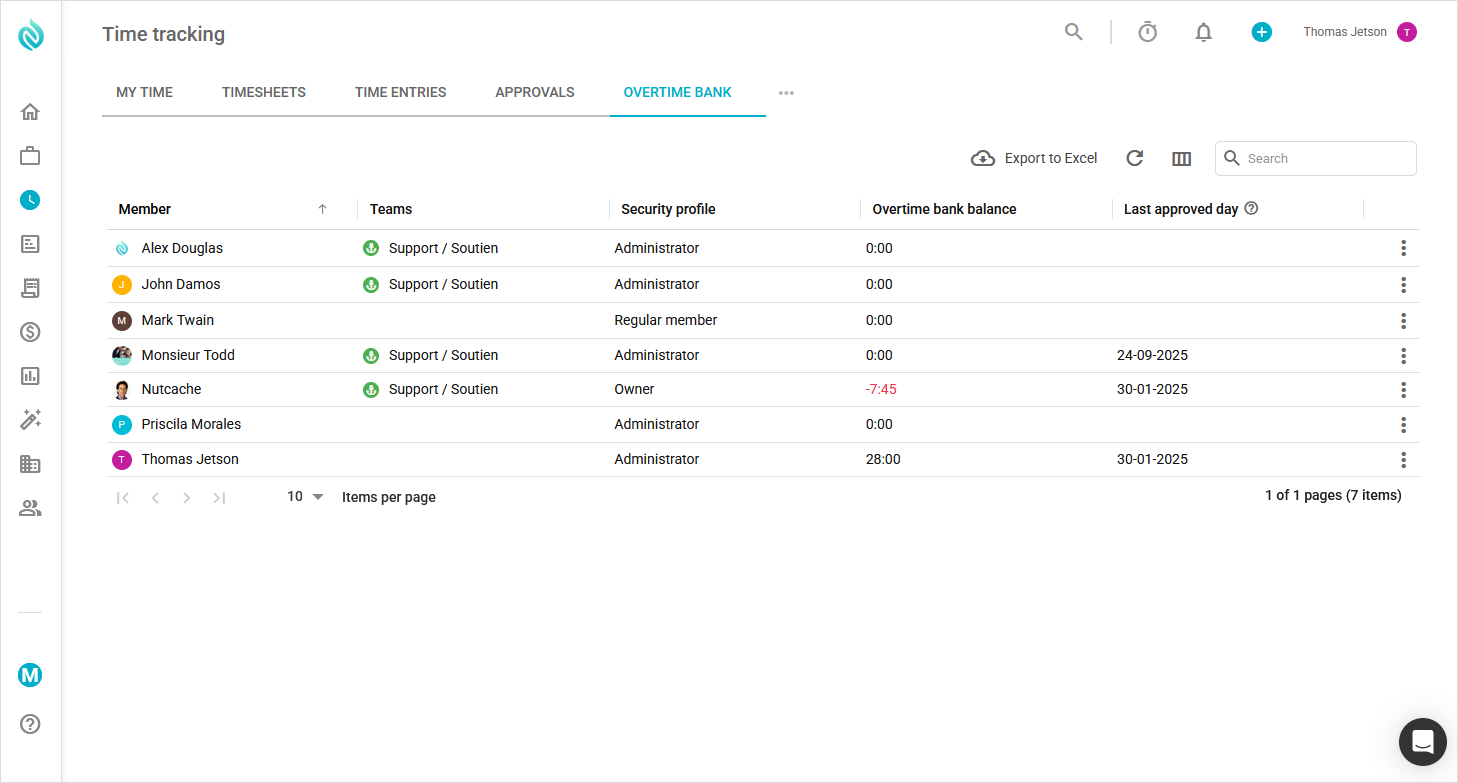
Administrators and managers:
Have full visibility into all team members' overtime bank data.
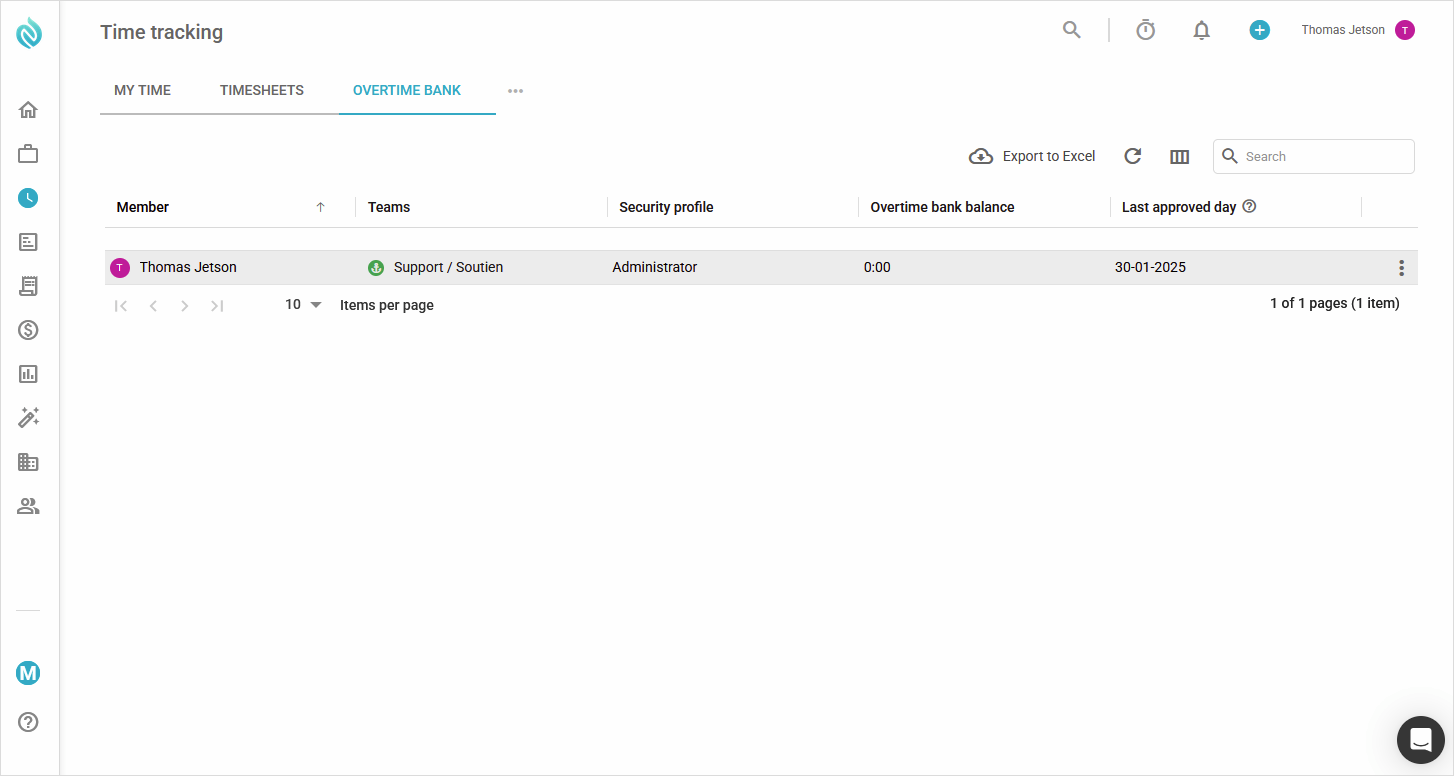
Regular members:
Can view only their own overtime bank balance.
Need a hand?
Our team can help you find the answer.
Contact us